
Portfolio Presentation Template: Show Your Design Work Professionally
Your portfolio website is comprehensive. Your Behance has everything. Your Instagram shows the highlights.
But sometimes you need to show a curated selection of work—not everything, just the relevant stuff—in a format that's easy to send, easy to present, and easy for clients to actually look at.
That's what this template does.
The Wedding Map Creator Kit is available now on Creative Market.
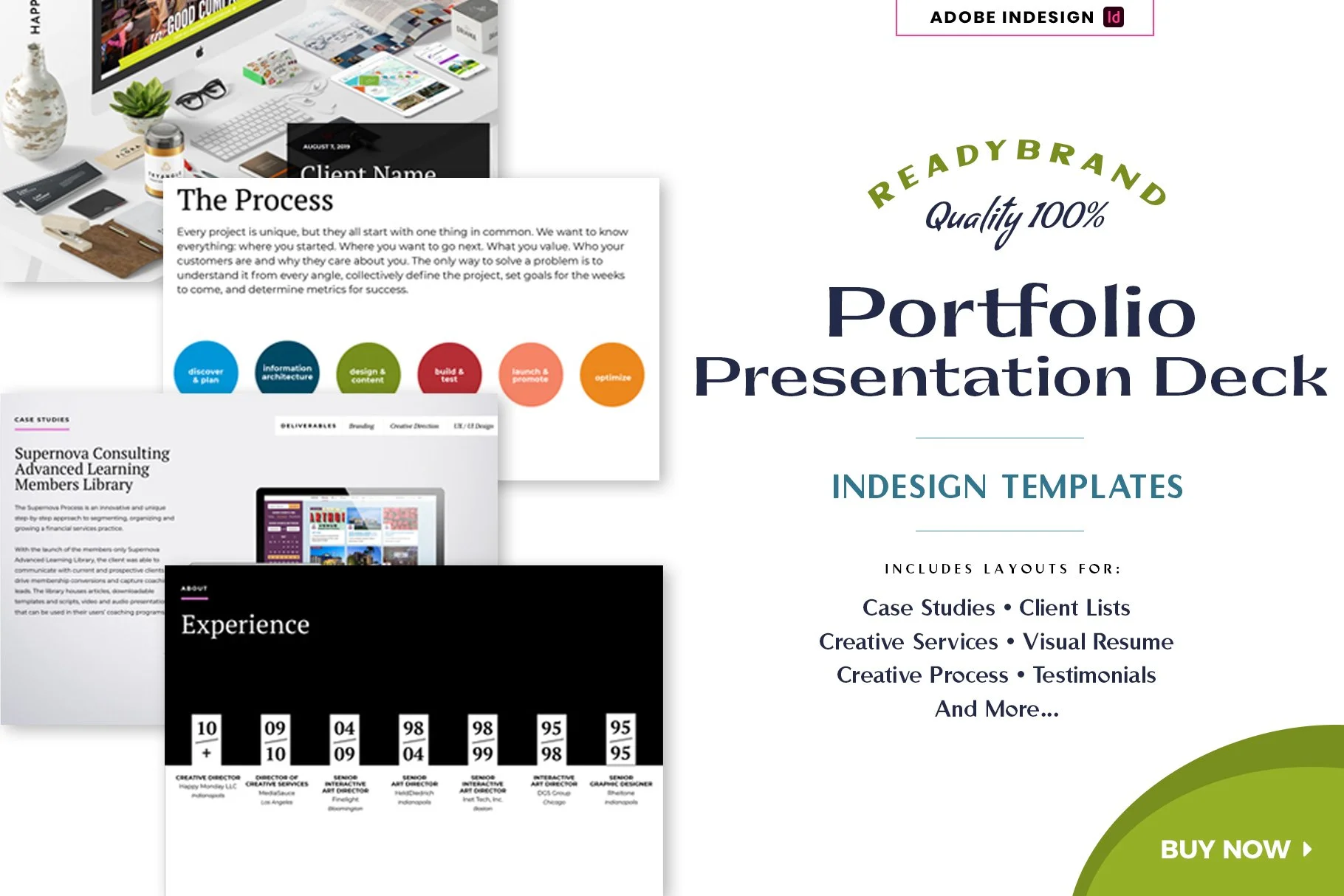
Readybrand Portfolio Presentation Template @ Creative Market
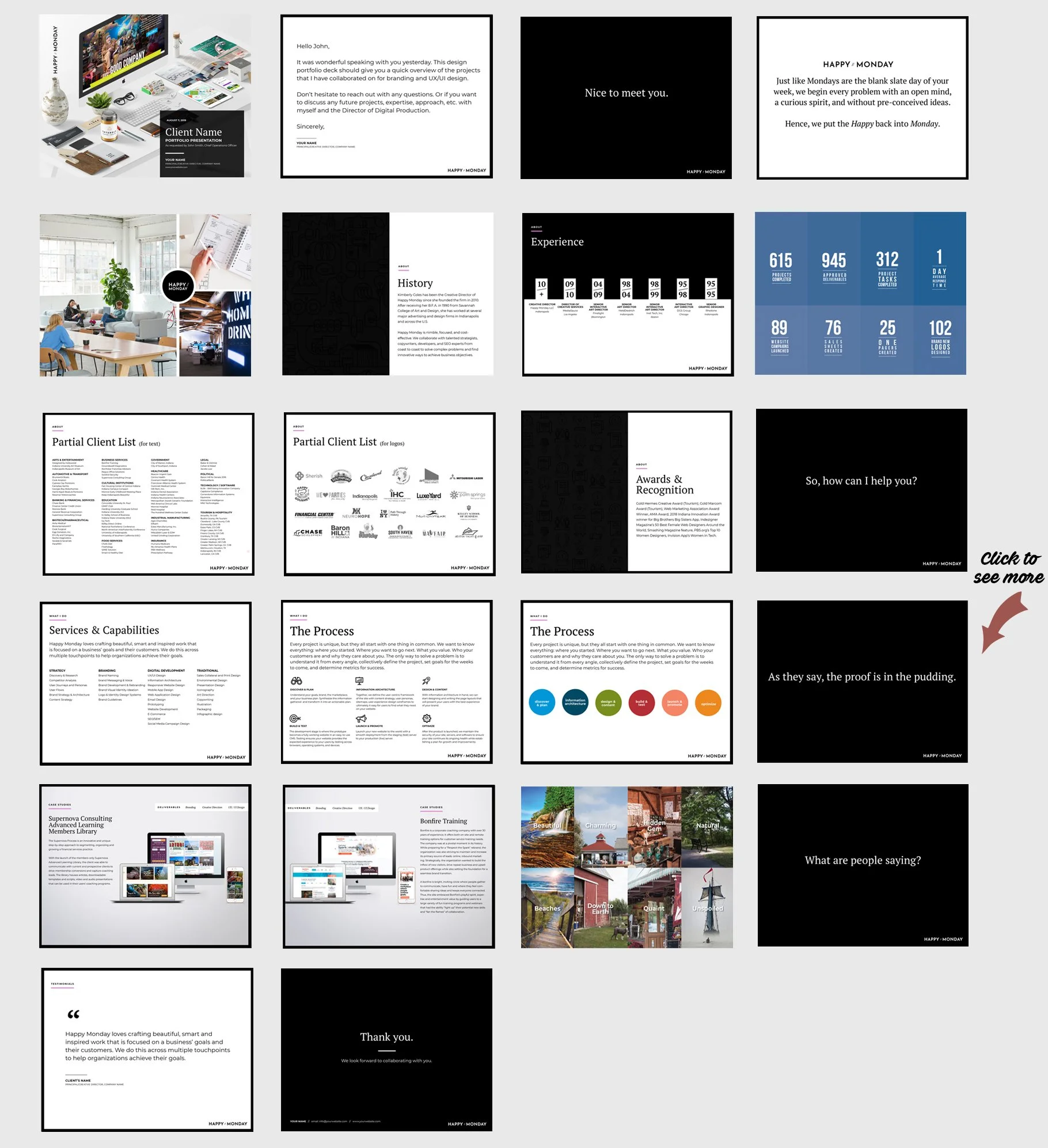
What the Portfolio Presentation Template Actually Is
It's a 22-page InDesign template for presenting design work in a clear, professional format.
Case studies, client lists, process documentation, services overview, visual resume, testimonials—all organized into layouts that let your work do the talking without fighting with the template design.
It's built in two sizes: 16:9 widescreen (for screen presentations and digital sharing) and US Letter (for printing or PDF exports).
Why a Focused Portfolio Presentation Still Works
Sometimes clients don't want to dig through your entire portfolio website. They want to see work relevant to their project or industry. They want it in one document they can review, share internally, or reference later.
A well-organized PDF sent via email or Dropbox makes that easy. Present it live on a call. Print it for in-person meetings. Export sections for specific pitches.
It's your portfolio, but curated and controlled—showing exactly what you want them to see, in the order you want them to see it.
What's Included
22 professionally designed pages:
Cover and introduction letter
Section breaks (5 included)
Image grid layouts for showing multiple projects
Visual resume
Stats page
Client pages (text list and logo layout options)
Awards and history pages
Services overview
Process pages (text and visual diagram layouts)
Case study layouts (left and right aligned options)
Testimonial page
Thank you/contact page
Comes in two InDesign formats (.INDD for CC 2018+ and .IDML for CS4+), plus a detailed user guide covering setup, color editing, paragraph styles, and image replacement.
Who This Is For
Freelance designers creating focused presentations for specific client pitches or proposals.
Design studios and agencies standardizing how they present work in new business meetings.
Designers building portfolio case studies for their website, Behance, or printed portfolio books.
Anyone who needs to show design work in a professional, organized format that's not just "here's my website."
How It Works
Open the template in Adobe InDesign. Replace placeholder content with your own work and case studies. Customize colors using the included swatch palette. Update text using paragraph styles (everything stays formatted automatically).
Export as PDF for digital sharing. Add bleeds and send to a printer. Present on screen. Customize sections for different audiences or project types.
The 12-column grid keeps everything aligned. Paragraph styles make updates fast. Vector icons are included.
Requirements
You'll need Adobe InDesign (CS4 or later) and basic working knowledge of the software. The template uses free fonts (links provided in the guide). Photography and logos shown in previews are not included—you add your own work.
This is not compatible with PowerPoint, Keynote, Canva, or other software. InDesign only.
Why I Made This
After years of rebuilding portfolio presentations for different pitches and proposals, I created a system that's flexible enough to customize but structured enough that I'm not starting from scratch every time.
This is the template I actually use to present my work. It's helped me land real clients—including one $5,000/month retainer.
Where to Get It
The Portfolio Presentation Template is available now on Creative Market.
Instant download. Ready to customize in InDesign.